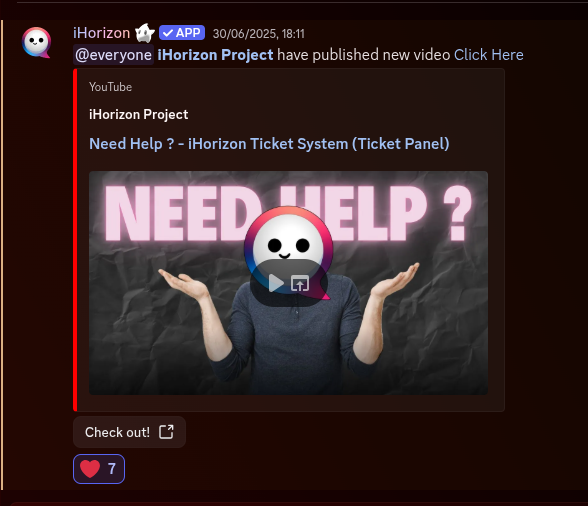
iHorizon Notifier
iHorizon Notifier is a module that allows you to follow your favorite creators on YouTube and Twitch through notifications sent by the bot to a specified channel. This process is similar to using an RSS feed, although we contact the API of these two services directly with an API key rather than using that method.
For more information on iHorizon Notifier commands, please consult our command search engine available at: 🔗 https://search.ihorizon.org
/notifier author add <platform> <author>
Requires the Manage Server permission
Only members with the Manage Server permission can use this command.
| Option | Type | Required | Choices |
|---|---|---|---|
platform |
String | Yes | Youtube, Twitch |
author |
String | Yes | - |
This command adds a creator to follow. Pick the platform (YouTube or Twitch) and give the creator's ID or username; from then on, the bot posts a notification whenever they publish new content. Set where those notifications land with /notifier config channel.
Only YouTube and Twitch are supported on iHorizon Notifier
YouTube
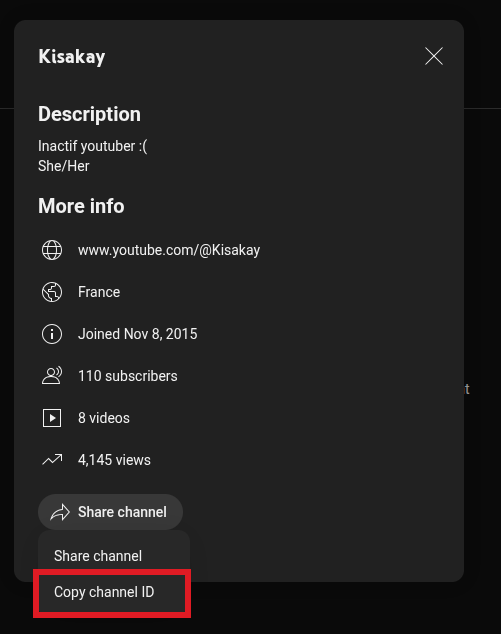
To add a content creator on YouTube, you will need their channel ID. You can obtain it by going to the "About" page of any creator, then click the Share Channel button. This gives you two options: Share Channel (with a link) or Copy Channel ID. Click the latter, and the channel ID will now be copied to your clipboard. You can then use it for the iHorizon Notifier module.
Twitch
To add a content creator on Twitch, you will need their username. You can find it in the URL in your address bar when viewing the creator's profile on Twitch.

/notifier author remove <platform> <author>
Requires the Manage Server permission
Only members with the Manage Server permission can use this command.
| Option | Type | Required | Choices |
|---|---|---|---|
platform |
String | Yes | Youtube, Twitch |
author |
String | Yes | - |
This command allows you to remove a content creator that you previously added to iHorizon Notifier on your server. For the command to work correctly, you must provide the creator's platform (YouTube or Twitch) as well as their ID or username, depending on the platform.
/notifier author list
Requires the Manage Server permission
Only members with the Manage Server permission can use this command.
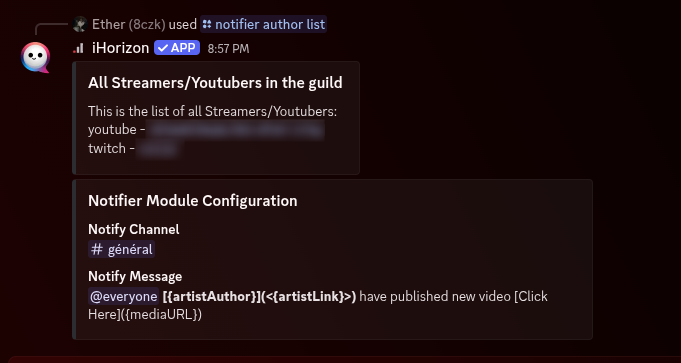
This command allows you to display the complete list of content creators you have added to iHorizon Notifier on your server. It provides an overview of all currently followed creators and helps you manage your notifications easily. You can quickly check which creators are registered and decide to manage, remove, or update them if necessary.
/notifier config channel <target>
Requires the Manage Server permission
Only members with the Manage Server permission can use this command.
| Option | Type | Required | Choices |
|---|---|---|---|
target |
Channel | Yes | - |
This command allows you to specify the channel where the bot will send notifications of new content published by the content creators added via the /notifier author add command.
/notifier config message
Requires the Manage Server permission
Only members with the Manage Server permission can use this command.
This command allows you to set the default message the bot will send whenever one or more of your content creators publish new content. This gives you full control over how notifications are communicated to your community.
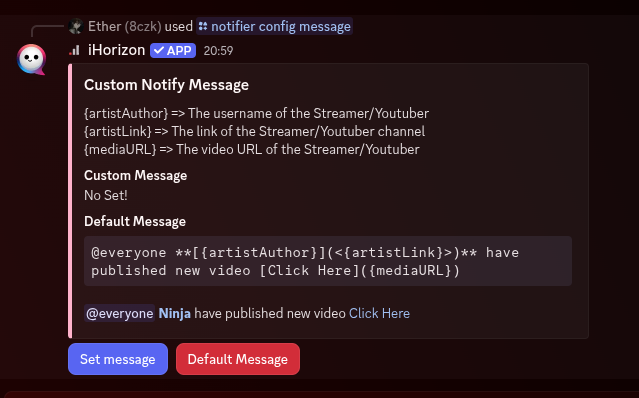
To fully customize the notification message, iHorizon provides three variables that allow adapting the message based on different parameters:
{artistAuthor}=> The username of the Streamer/YouTuber{artistLink}=> The link to the Streamer/YouTuber's channel{mediaURL}=> The URL of the Streamer/YouTuber's video
Here is an example of a message sent by the bot using the default message