Reminders
The iHorizon reminders module allows the bot to remind you of an event or something to do at a specified date and time.
/schedule
This single command is your control panel for reminders. Running it opens a menu where you pick what you want to do, so there is nothing to memorize.
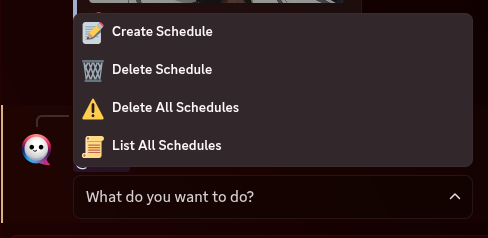
The menu offers four choices:
- Create Schedule: set up a new reminder. iHorizon asks for a name, a description, and when it should fire, then sends you a private message at that moment.
- Delete Schedule: remove one of your reminders.
- Delete All Schedules: clear every reminder you have set.
- List All Schedules: see all your upcoming reminders in one place.
Reminders come to your DMs
iHorizon sends each reminder as a direct message, so make sure you allow direct messages from server members, otherwise the bot won't be able to reach you.