Owner Commands
These commands are reserved for the owners and administrators of the iHorizon project. Regular users have no access to these commands.
+shardinfo (Prefix command only)
This command shows technical information about iHorizon's shards. Large bots split their servers across several "shards" so no single process handles everything; this command reports each shard's status, such as how many servers and members it serves and its latency.
+status-embed (Prefix command only)
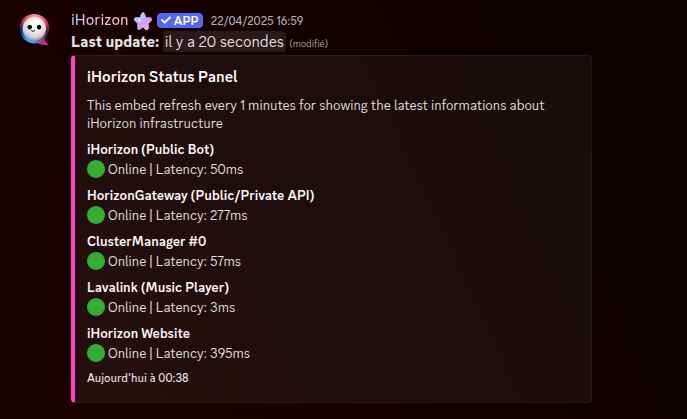
This command displays an embed showing the status of the various iHorizon infrastructures, such as the Lavalink server (for playing music) or the iHorizon bot itself. This information is public and available in the ihorizon-status channel located in the "Home" category of the iHorizon Discord server.
/blacklist [user] [reason]
| Option | Type | Required | Choices |
|---|---|---|---|
user |
User | No | - |
reason |
String | No | - |
This command allows you to add a Discord user to the iHorizon blacklist. When a user is added to the blacklist, iHorizon will ban this user on all servers where the bot is present.
/bledit <user> <new_reason>
| Option | Type | Required | Choices |
|---|---|---|---|
user |
User | Yes | - |
new_reason |
String | Yes | - |
This command edits the reason attached to an existing blacklist entry, letting owners update why a user was blacklisted without removing and re-adding them.
/blinfo <user>
| Option | Type | Required | Choices |
|---|---|---|---|
user |
User | Yes | - |
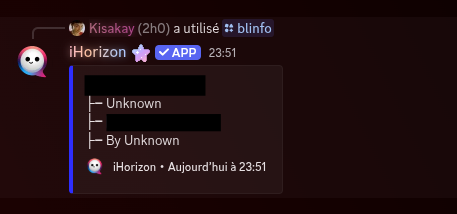
This command allows iHorizon bot owners to get information about a specific blacklist entry. Owners will need the ID of a blacklist entry to retrieve the data.
/eval <code>
| Option | Type | Required | Choices |
|---|---|---|---|
code |
String | Yes | - |
This command allows you to execute JavaScript code directly from the bot.
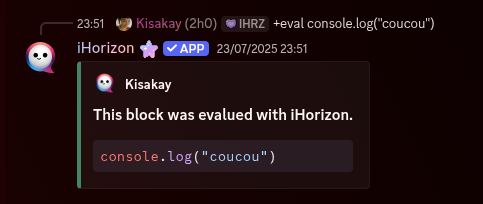
In this specific case, the bot sends the word "coucou" to the command terminal where the bot is running.
/owner [member]
| Option | Type | Required | Choices |
|---|---|---|---|
member |
User | No | - |
This command allows you to add a Discord user as an iHorizon bot owner. Run it without the member option to list the current owners instead: bot owners see the bot-wide owner list, while a server owner sees the iHorizon owners of their server. If you become an iHorizon bot owner, you will have the following permissions and advantages:
- You cannot be removed from the list of owners by an existing owner.
- You cannot be blacklisted by an existing owner.
- You cannot be banned by an existing owner.
- You will have permission to execute the
/evalcommand.
+langstats (Prefix command only)
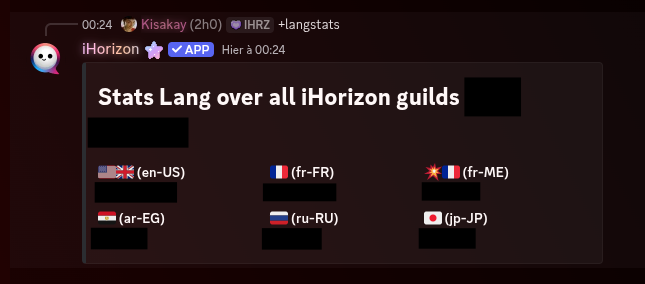
This command allows iHorizon owners to know the number of servers that have set a specific language in their iHorizon configuration. Here is an example:
/unblacklist <user>
| Option | Type | Required | Choices |
|---|---|---|---|
user |
User | Yes | - |
This command allows you to remove a Discord user from the iHorizon blacklist. When a user is removed from the blacklist, iHorizon will unban this user on all servers where the bot is present.
/unowner <member>
| Option | Type | Required | Choices |
|---|---|---|---|
member |
User | Yes | - |
This command removes a Discord user from the list of iHorizon bot owners, the counterpart to /owner, revoking their owner permissions.