Confessions
The iHorizon confessions module lets your members confess in a channel your admins choose, anonymously if they want. When a member opens the confession form, they decide whether to stay anonymous or show their name.
Anonymous confessions are not anonymous to your staff
If you set a Confession Logs channel with /setlogs, iHorizon posts every confession there next to a button that reveals its author, including confessions sent anonymously. Anyone who can read that log channel can uncover who confessed, so restrict its access to staff you trust. Without a Confession Logs channel, iHorizon keeps no such record.
/confession channel <channel> <button-title>
Requires the Administrator permission
Only members with the Administrator permission can use this command.
| Option | Type | Required | Choices |
|---|---|---|---|
channel |
Channel | Yes | - |
button-title |
String | Yes | - |
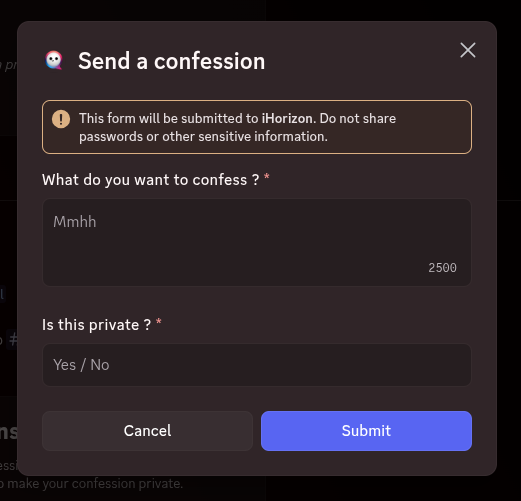
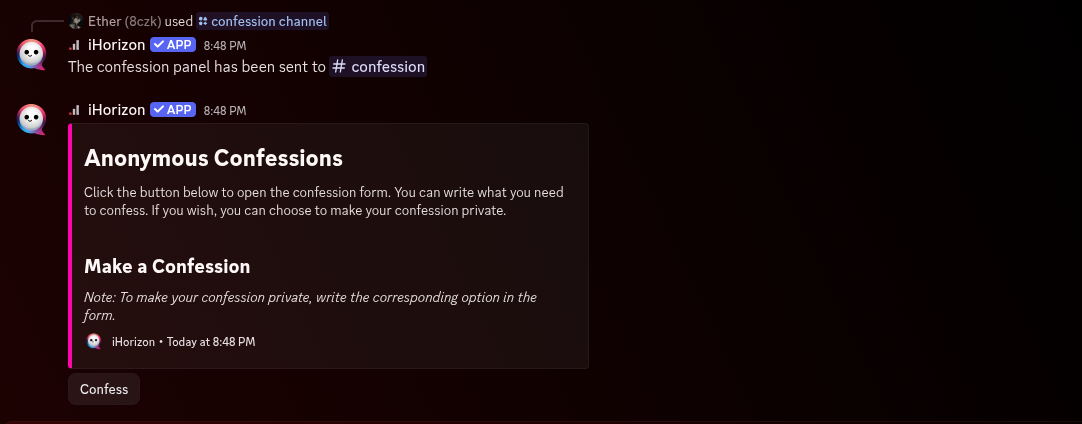
This command allows you to specify a channel where the user's confession will be sent. After executing the command, iHorizon will send an embed in the specified channel so that users can confess anonymously. To do this, the bot will send a "modal" for the user to enter their confession and indicate whether they want it to stay anonymous or be shown under their name. The button-title option sets the text on the button members press to open that modal.
/confession config <action>
Requires the Administrator permission
Only members with the Administrator permission can use this command.
| Option | Type | Required | Choices |
|---|---|---|---|
action |
String | Yes | Power On, Power Off |
This command allows you to configure the activation or deactivation of the confessions module.
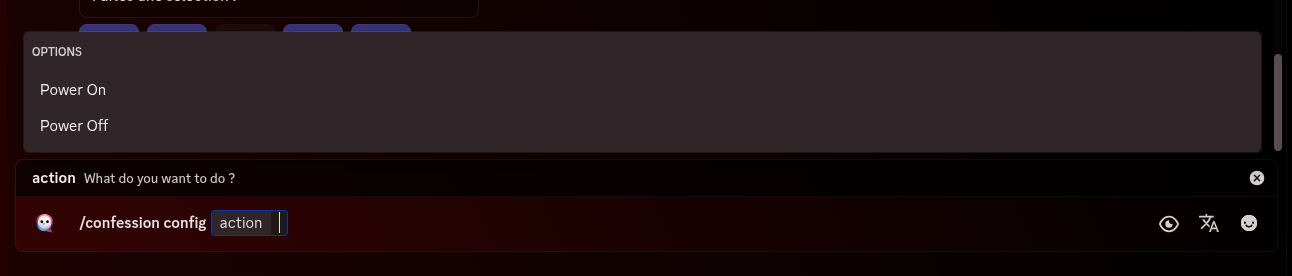
You have two options here: Power OFF will disable the confessions module on your server, while Power ON will enable the confessions module on your server, allowing you to execute confession commands.
/confession thread <action>
Requires the Administrator permission
Only members with the Administrator permission can use this command.
| Option | Type | Required | Choices |
|---|---|---|---|
action |
String | Yes | Create thread, Don´t create thread |
This command decides whether iHorizon opens a discussion thread under each confession. With Create thread, members can react and reply to a confession in its own thread without cluttering the main channel; with Don´t create thread, confessions are posted on their own.
/confession cooldown <time>
Requires the Administrator permission
Only members with the Administrator permission can use this command.
| Option | Type | Required | Choices |
|---|---|---|---|
time |
String | Yes | - |
This command allows you to specify a cooldown time between two confessions to prevent abuse or spam. You can set this delay in seconds, minutes, or hours.