Role Reactions
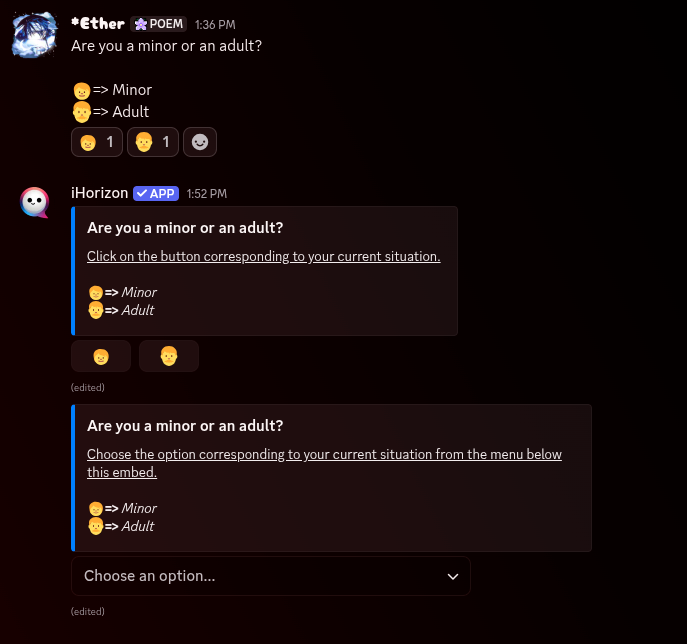
Role reactions let your members give themselves roles by interacting with a message, no moderator needed. You write a message (rules to accept, colors to pick, notification pings to opt into, and so on), then attach roles to it with one of the three commands below. iHorizon offers three styles that all do the same job in a different look:
- Reaction: members click an emoji reaction under the message.
- Button: members press a button attached to the message.
- Select menu: members pick from a dropdown list.
All three attach to a message that already exists, so post your message first and copy its ID (how to find a message ID).
/rolebutton <value> <channel> <message_id> [reaction] [role]
Requires the Administrator permission
Only members with the Administrator permission can use this command.
| Option | Type | Required | Choices |
|---|---|---|---|
value |
String | Yes | Add another, Remove one |
channel |
Channel | Yes | - |
message_id |
String | Yes | - |
reaction |
String | No | - |
role |
Role | No | - |
Attaches a button to a message that hands out a role when pressed. Choose Add another and provide the reaction (the emoji shown on the button) and the role to give; point channel and message_id at the target message. Run it again to add more buttons to the same message, or use Remove one to take a button away.
/rolereaction <value> <channel> <message_id> [reaction] [role]
Requires the Administrator permission
Only members with the Administrator permission can use this command.
| Option | Type | Required | Choices |
|---|---|---|---|
value |
String | Yes | Add another, Remove one |
channel |
Channel | Yes | - |
message_id |
String | Yes | - |
reaction |
String | No | - |
role |
Role | No | - |
Works exactly like /rolebutton, but instead of a button it adds an emoji reaction to the message. Members get the linked role by clicking the emoji and lose it by removing their reaction. Choose Add another with a reaction and role to create a pair, or Remove one to delete one.
/roleselect <channel> <message_id>
Requires the Administrator permission
Only members with the Administrator permission can use this command.
| Option | Type | Required | Choices |
|---|---|---|---|
channel |
Channel | Yes | - |
message_id |
String | Yes | - |
Adds a dropdown select menu to the target message and opens a configuration panel where you match each option to a role. It is the tidiest choice when you have many roles to offer, since a single menu keeps them all in one place instead of a wall of buttons or emojis.