Giveaway
The iHorizon giveaway module allows you to create and manage contests organized on your server. iHorizon keeps giveaway management simple and fast, and guarantees a fair draw for all participants. You can customize the rules, choose the prizes, and set the duration of your giveaways through a handful of commands.
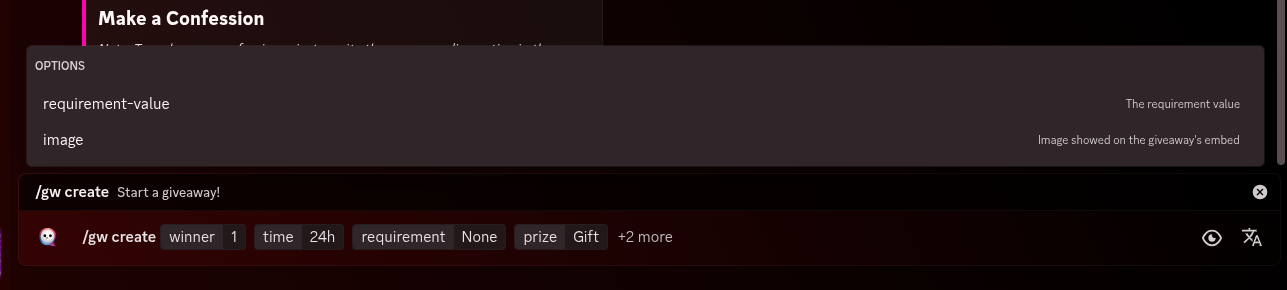
/gw create <winner> <time> <requirement> <prize> [requirement-value] [image]
Requires the Manage Messages permission
Only members with the Manage Messages permission can use this command.
| Option | Type | Required | Choices |
|---|---|---|---|
winner |
Number | Yes | - |
time |
String | Yes | - |
requirement |
String | Yes | None, Need Specific invitations amount, Need specific messages number, Need specific roles |
prize |
String | Yes | - |
requirement-value |
String | No | - |
image |
String | No | - |
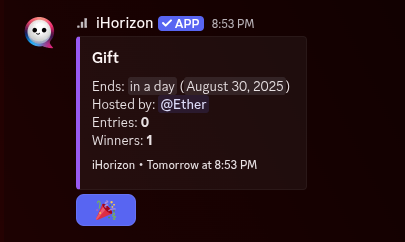
This command allows you to create a contest/giveaway on your server. After executing the command, the bot will send you an embed presenting the prize to be won, where users can participate by clicking a button.
The command asks for four required options and two optional ones:
Required options
<winner>→ How many winners the giveaway will have.<time>→ How long members have to enter (in minutes, hours, or days).<requirement>→ A condition members must meet to be allowed to enter:None→ No condition; anyone can enter.Need Specific invitations amount→ Members must have invited a certain number of people to the server.Need specific messages number→ Members must have sent a certain number of messages.Need specific roles→ Only members with a specific role can enter.
<prize>→ The name of the prize the winner(s) will receive.
Optional options
[requirement-value]→ The value tied to the chosen requirement: the number of invites or messages needed, or the required role. Leave it empty when the requirement isNone.[image]→ An image to attach to the embed to make it more eye-catching.
/gw end <giveaway-id>
Requires the Manage Messages permission
Only members with the Manage Messages permission can use this command.
How do I find a giveaway's ID?
Enable Discord's Developer Mode (User Settings → Advanced → Developer Mode). Then right-click the bot's giveaway message and choose "Copy Message ID". That ID is what the commands below expect.
| Option | Type | Required | Choices |
|---|---|---|---|
giveaway-id |
String | Yes | - |
Ends a running giveaway immediately and draws the winner(s) from the entrants right away, instead of waiting for the timer to run out.
/gw reroll <giveaway-id>
Requires the Manage Server permission
Only members with the Manage Server permission can use this command.
| Option | Type | Required | Choices |
|---|---|---|---|
giveaway-id |
String | Yes | - |
Re-draws a new winner for a giveaway that has already ended. Handy when the original winner is unreachable or doesn't claim their prize.
/gw list-entries <giveaway-id>
Requires the Manage Messages permission
Only members with the Manage Messages permission can use this command.
| Option | Type | Required | Choices |
|---|---|---|---|
giveaway-id |
String | Yes | - |
Shows the full list of everyone who has entered the given giveaway.
/gw get-data <giveaway-id>
Requires the Manage Messages permission
Only members with the Manage Messages permission can use this command.
| Option | Type | Required | Choices |
|---|---|---|---|
giveaway-id |
String | Yes | - |
Displays detailed data about a particular giveaway, including the channel it is in, the number of winners, the prize, the host, whether it has ended, whether it is still valid, how many people have entered, and when it ends.
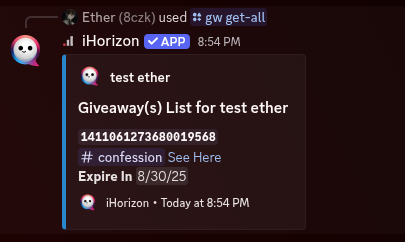
/gw get-all
Requires the Manage Messages permission
Only members with the Manage Messages permission can use this command.
Shows a summary of every giveaway on your server at once, both finished and ongoing, so you get the full picture without looking each one up.